Free · No ads · No account · Android
The free TV remote app that lives on your phone.
Lost the remote again? Tired of buying batteries? OlaRemote turns your Android phone into a TV remote. It has been tested on a Roku TV. Wi-Fi control for Samsung, LG, Sony, TCL, Hisense, Philips, Vizio and Google TV / Android TV is built and still being tested. Regular TVs can be controlled through your phone's infrared (IR) blaster, if it has one.
- Open Netflix, YouTube and more
- Type with your phone keyboard
- No ads, no account
- Works on your home Wi-Fi
Check if your TV works with OlaRemote
OlaRemote is new and is not yet on Google Play. How to install it on your phone.
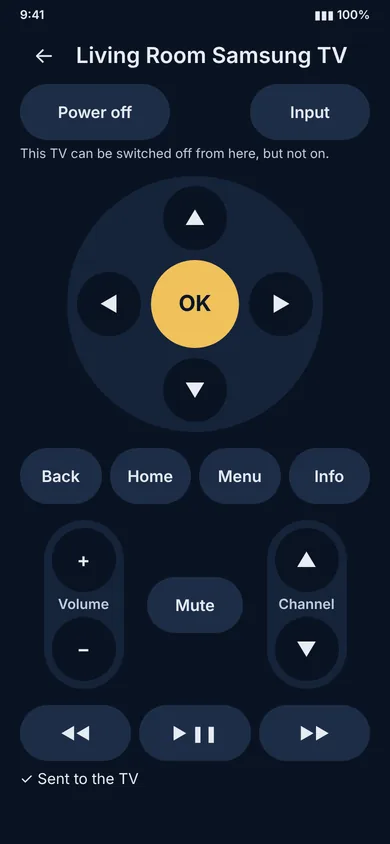
It's time for a simpler way to control your TV.
How often have you searched the whole room for the remote, or bought another one because the old one went missing, stopped working or needed new batteries? Your phone is already in your hand. OlaRemote puts the remote on it: less searching, fewer battery worries, more convenience.
Your everyday remote, reimagined
- One less remote to lose. Keep your TV remotes on your phone.
- Less battery dependence. Use your phone instead of a traditional remote where supported.
- Simple controls. Navigate with a clean, familiar interface.
- Jump straight to your apps. Open Netflix, YouTube, Prime Video, Disney+ and more with one tap on supported TVs.
- Use your phone's volume buttons. Optional: change the TV volume with the buttons on the side of your phone.
- Type with your phone. Use your phone's keyboard for searches and logins instead of tapping letters one by one.
- Two ways to connect. Wi-Fi for supported smart TVs and streaming devices, or your phone's infrared transmitter for regular TVs.
- Designed with privacy in mind. No account and no advertising.
Simple control. Thoughtfully designed.
A remote should make life easier. OlaRemote is designed to bring familiar TV controls to your phone in a clean, straightforward experience.
Find your TV
Discover your TV on your local Wi-Fi network, approve your phone once, and start controlling it.
Control regular TVs with infrared
Have a phone with a built-in IR blaster? Use supported infrared codes to test and adjust controls for compatible televisions.
Familiar buttons, clear controls
Navigate with large, easy-to-understand buttons for everyday television control.
No ads. No account.
OlaRemote is designed to be free to use without an account or advertising interruptions.
Privacy by design
Your saved remotes and preferences are designed to stay on your device. OlaRemote is built to operate without an AFOLAOLA account or remote-control server.
Honest about compatibility
Not every phone or television is supported. We label what is still being tested and publish what has been tested on real TVs.
A closer look
Designed for everyday use. Explore the OlaRemote experience.
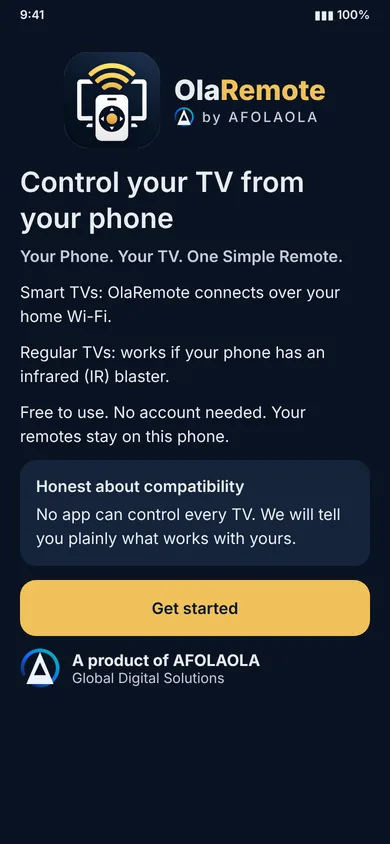
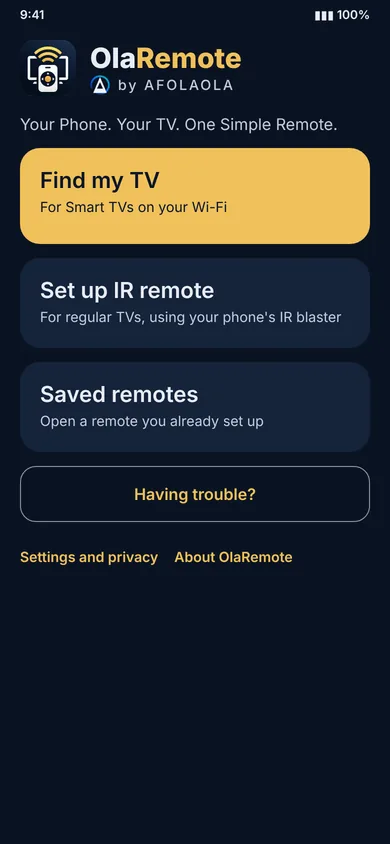
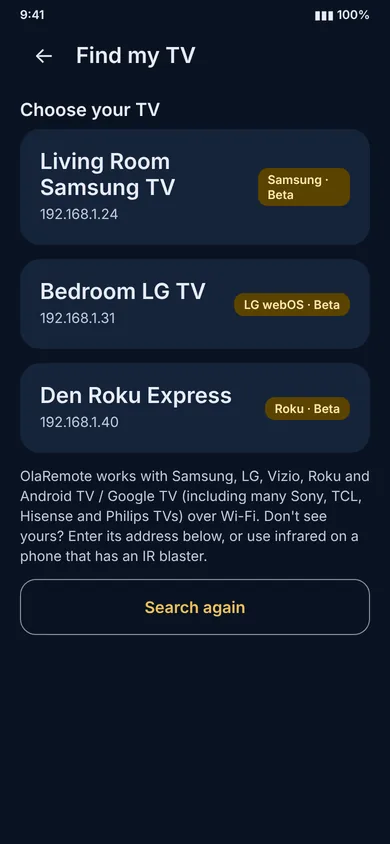
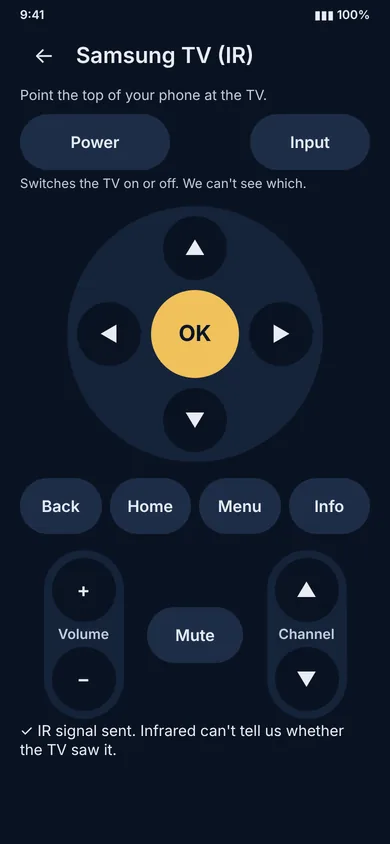
Product interface previews illustrate the intended design. They are not proof of compatibility or completed real-device testing.
Before you get started
OlaRemote is new and has not yet launched on Google Play. Each TV family is built but still being verified on real devices, and we will share tested compatibility as it is confirmed. Infrared needs an Android phone with a built-in IR transmitter, and supported codes vary by television. Not every phone or TV is compatible.
Will OlaRemote work with your TV?
OlaRemote controls TVs two ways: over Wi-Fi, and with your phone's infrared blaster.
Android TV & Google TV
Covers many Sony, TCL, Hisense, Philips and Xiaomi TVs, Nvidia Shield and Chromecast with Google TV. The first time, your TV shows a code to type into the app.
Samsung & LG
Samsung Smart TVs from 2016 onward (Tizen) and LG TVs running webOS. The first time, your TV asks you to allow your phone.
Vizio & Roku
Vizio SmartCast TVs (a code is shown on the TV the first time), and Roku streaming devices and Roku TVs (turn on Control by mobile apps if it is limited). App shortcuts and typing work on Roku, not on Vizio.
Any TV with infrared
If your Android phone has a built-in infrared transmitter, you can test and adjust code sets for many brands, including power on and off. Many phones have no infrared transmitter.
Over Wi-Fi, your phone and TV need to be on the same network, and results can vary by model and software version. If a TV isn't found automatically, you can enter its address.
Have a different TV? Fire TV, Panasonic, Philips (older), Hisense VIDAA and some other systems are not supported over Wi-Fi yet. Infrared may still work. Tell us which TV you use at hello@afolaola.com; it helps us decide what to build next.
What about turning your TV on? A TV that is fully off usually can't be woken over Wi-Fi. Some TVs can be woken in standby (the app offers a wake signal where the TV reports its address), and infrared can switch a TV on if your phone has an IR transmitter and the right code set.
Privacy matters
OlaRemote is designed to keep remote-control activity on your device.
- No OlaRemote account required.
- No advertising in the intended offering.
- Saved remotes, preferences and TV approvals stored locally on your phone.
- Remote-control commands sent directly to the television using the supported connection method.
- Copies downloaded from this site check once a day for a newer version, and you can turn that off in Settings. Details are in the Privacy Notice.
Your Android device, Google Play, television and network may independently process information under their own policies. Please read our privacy documents for details.
Read our policies: OlaRemote Privacy Notice · OlaRemote Terms of Use. Questions: privacy@afolaola.com.
Coming soon to Google Play
Ready for a more convenient way to control your TV? Your phone could be all you need. OlaRemote is not yet available on Google Play; we are working towards a simple, reliable experience with clear compatibility information.
OlaRemote. A smarter way to think about your TV remote.
Want to hear when it launches? Contact us at hello@afolaola.com with the subject "OlaRemote Launch Updates."
This landing page is not the remote. It does not control your television, access your infrared hardware or discover devices on your network. Those functions require the Android application.
Common questions
Can I type on the TV with my phone keyboard?
Yes on Samsung, LG, Android TV / Google TV and Roku. Open a search box or keyboard on the TV first, then type in the app. Vizio and infrared remotes can't type.
Which apps can I open from the remote?
Netflix, YouTube, Prime Video, Disney+, Hulu, Max, Apple TV, Spotify and Plex, where the TV has them. Roku shows only the channels you have installed. Support varies by TV model and software version.
Does my TV and phone need to be on the same Wi-Fi?
Yes, for Wi-Fi control. Both must be on the same local network. Guest networks and some routers isolate devices from each other, which stops discovery.
Does OlaRemote work without internet?
Wi-Fi control talks to your TV over your home network and does not need an internet connection or an OlaRemote account. Infrared works with no network at all.
Can it turn my TV on?
Not reliably over Wi-Fi when a TV is fully off. Some TVs can be woken from standby, and infrared can switch a TV on if your phone has an IR transmitter and the right code set.
My phone has no infrared blaster. Can I still use it?
Yes, if your TV is one of the Wi-Fi families above. Infrared is only needed for regular TVs without Wi-Fi control.
My TV isn't found automatically.
Check that the TV is on and on the same Wi-Fi. If it still doesn't appear, you can enter its address in the app. On Roku, turn on Control by mobile apps in Settings.
Is OlaRemote free?
Yes. There is no account and no advertising.
Is it on Google Play?
Not yet. Until it is, you can install it from this site. Follow the install guide. We will say so here when a Google Play listing is live.
Why does my phone warn me when I install it?
Android and Google Play Protect show a warning for any app that does not come from Google Play. It does not mean the app is harmful. Only install OlaRemote from afolaola.com or Google Play, and you can compare the file's SHA-256 fingerprint with the one in the install guide.
Which TVs have actually been tested?
One Roku TV (a TCL model) has been tested on real hardware so far. Samsung, LG, Android TV / Google TV and Vizio support is built but still being tested, so it may not work on every model yet. Infrared depends on your phone having a built-in IR transmitter.
The buttons do nothing on my Roku TV.
On the TV, open Settings, System, Advanced system settings, Control by mobile apps, and choose Enabled. Then try again.
What does OlaRemote know about me?
No account, no advertising and no tracking built in. Your saved remotes stay on your phone, and uninstalling removes them. Read the Privacy Notice for the details.
Does it work on iPhone?
No. OlaRemote is for Android phones (Android 8.0 or newer).
How do I update it?
If you installed it from this site, the app tells you when a new version is available and takes you to the install page. Download the newest file and install it over the old one. Your saved remotes are kept. You can turn this notice off in Settings. Once it is on Google Play, updates come from there.
How do I get help or report a problem?
Email support@afolaola.com. The fastest way is the Check a TV screen in the app, then Email this report to support. See the support page for what to include.
More from AFOLAOLA
OlaRemote is one of a growing family of privacy-first tools from AFOLAOLA, Global Digital Solutions. Honor What Matters.
OlaPurse
A privacy-first budgeting app that keeps your data on your own device.
Available nowOlaTime
A scheduling app that works on your device first, with optional sync.
Available nowOlaOrder
No-code order management, with a storefront for your business.
OlaInventory
Inventory and procurement.
OlaMaintain
Maintenance management.
Questions or support?
- Product support: support@afolaola.com
- Privacy enquiries: privacy@afolaola.com
- General enquiries: hello@afolaola.com
- Security reports: security@afolaola.com